How to Delete Your Account
Follow these 4 simple steps inside the Keyy App to permanently delete your account.
Step 1
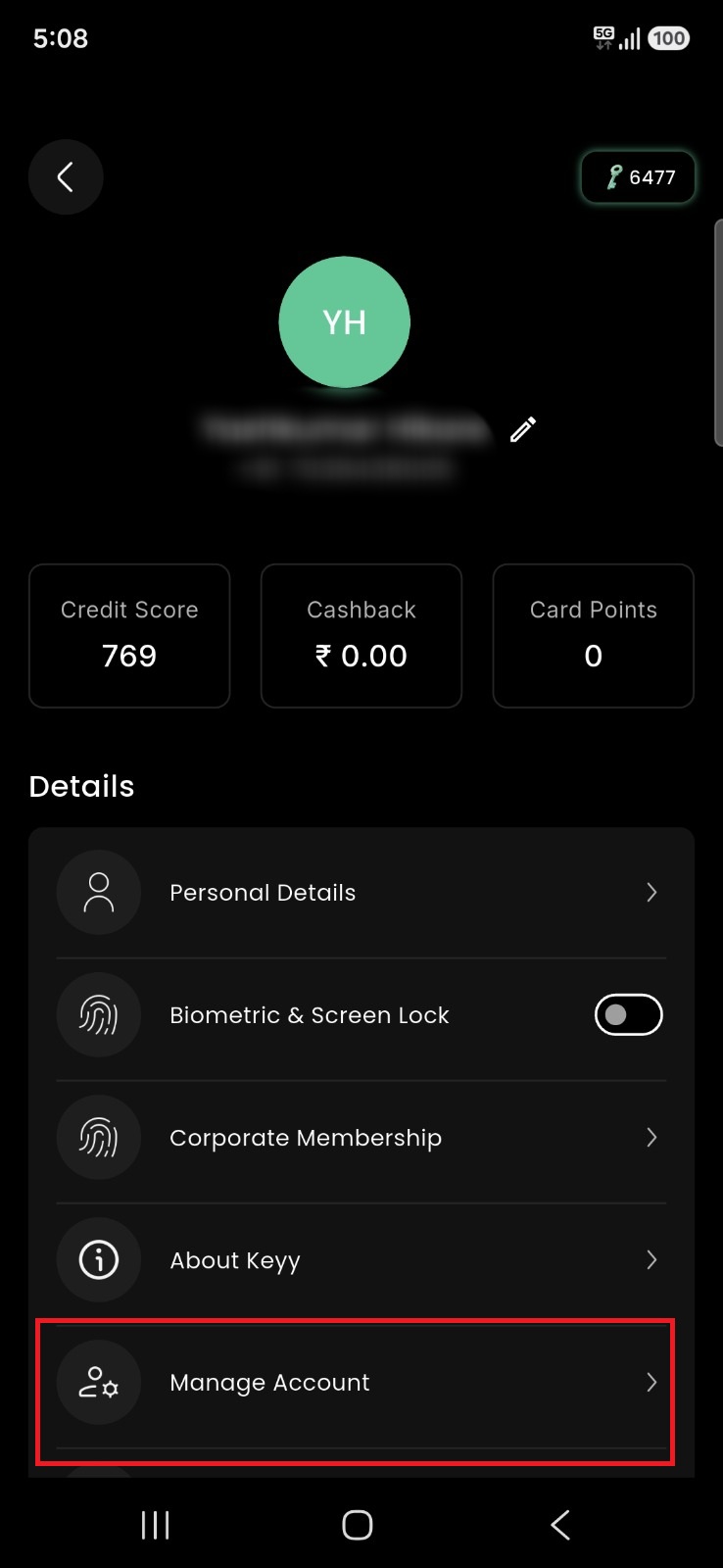
Click on Manage Account
Open the Keyy App, navigate to Profile/Settings and click on Manage Account.
Step 2
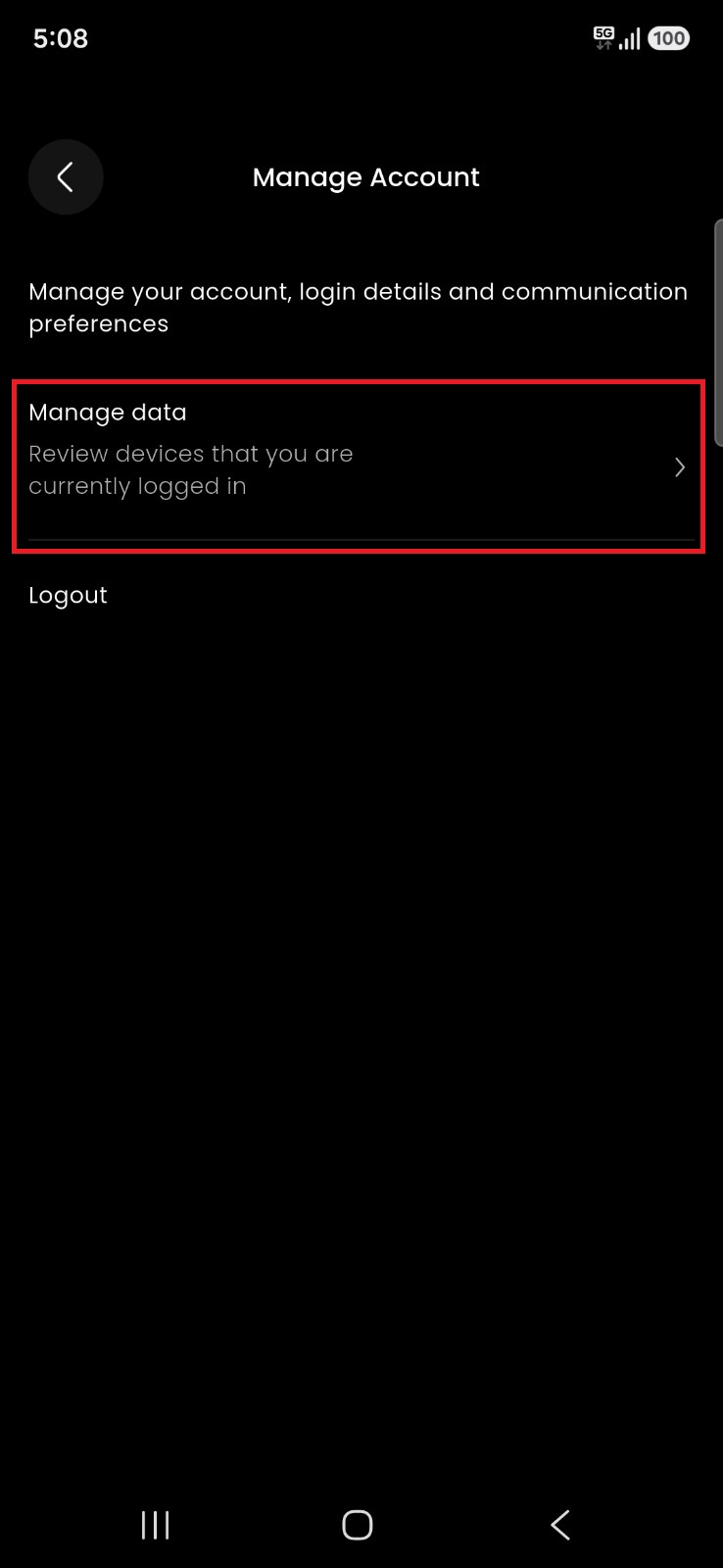
Click on Manage Data
Inside Account Settings, select Manage Data to access privacy controls.
Step 3
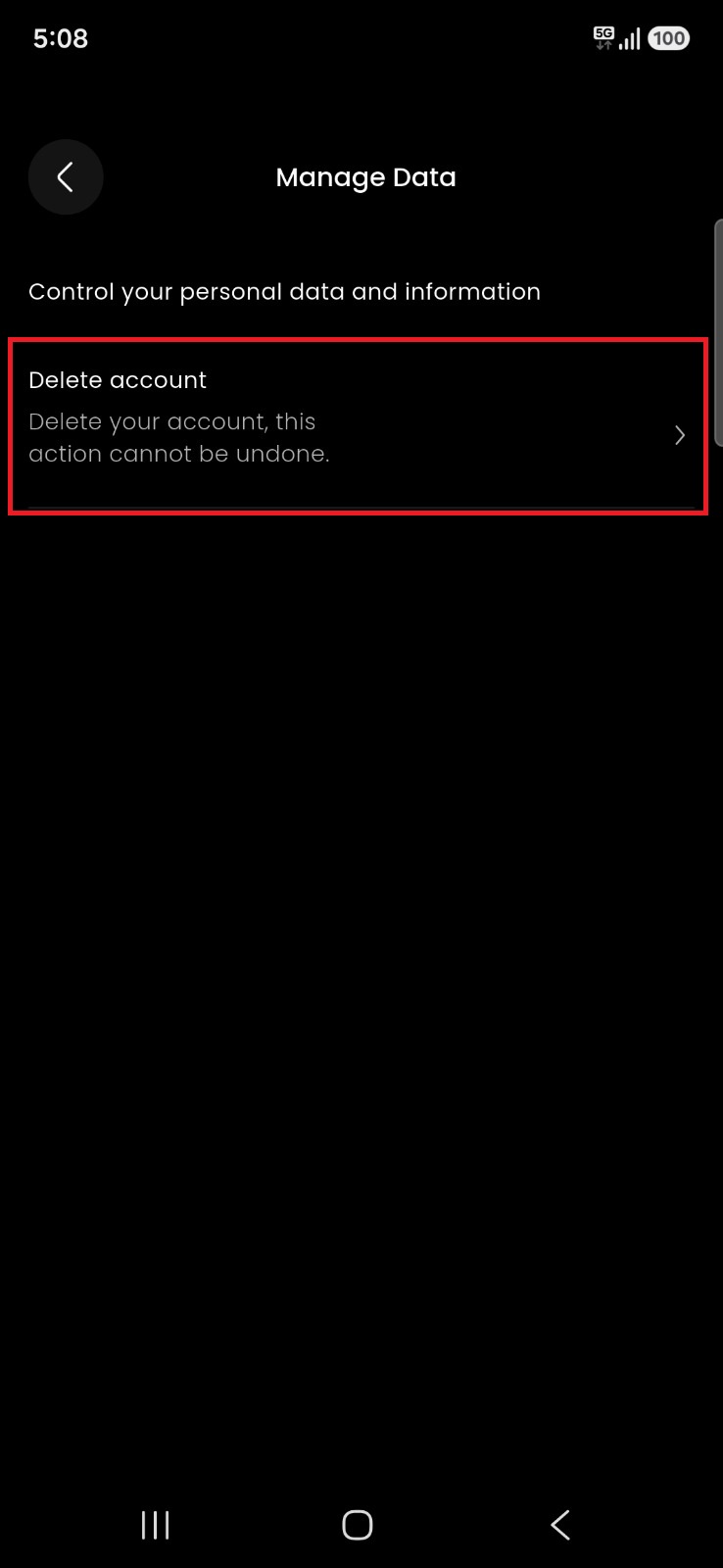
Click on Delete Account
Tap on Delete Account option from the data management menu.
Step 4
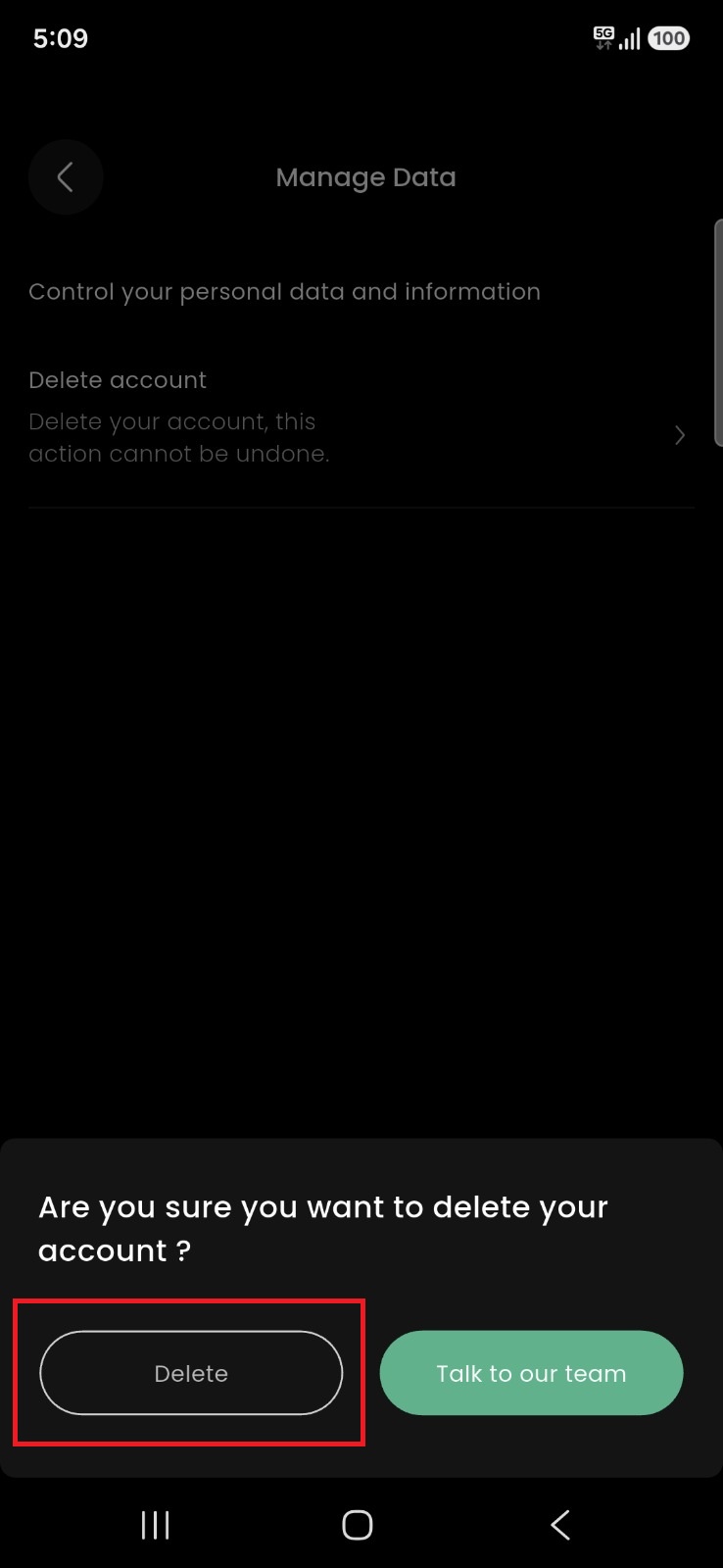
Confirm Account Deletion
Click on the Delete option to confirm and permanently delete your account.